What cutters do you need?
We've rewritten this email about cutters over and over. It's difficult to find the right balance of giving people the information without sharing so much detail that the big picture is lost.
In this latest iteration, we'll skip the technical details and talk about what tools you need for 90% of your projects on a Shapeoko-style machine.
How many cutters do you need? Assuming you're working mostly in wood, we're going to say that you need four cutters.
1/4", the Bread and Butter
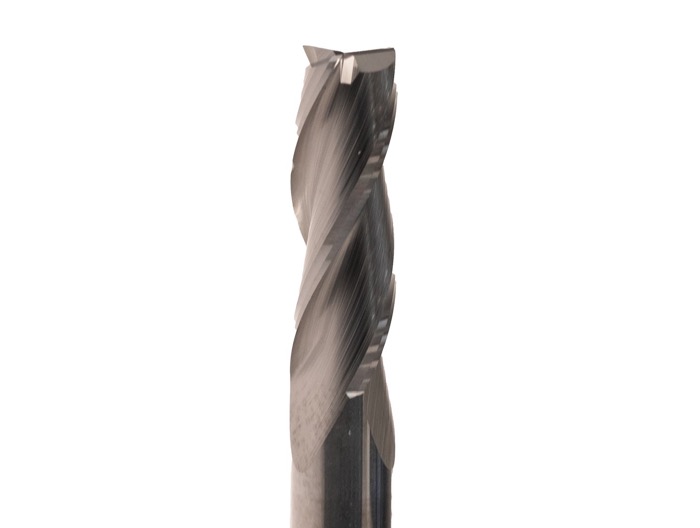
A 1/4" cutter is the perfect blend between capability and strength. It's going to give you good durability, in case you make a mistake, and still be long enough to reach all the way through a 3/4" sheet of material.
Why is the length important? Because the longer you make a cutter, the more fragile it becomes. Most endmills are made from solid carbide which is very strong, but carbide is also very brittle. If it bends at all it's likely to break. Because of this, the cutting depth of most endmills is 3-5 times the diameter. Anything longer and the cutters get delicate.
The 1/4" is so important that we include our #201 1/4" cutter with every Shapeoko.
1/8" for Detail
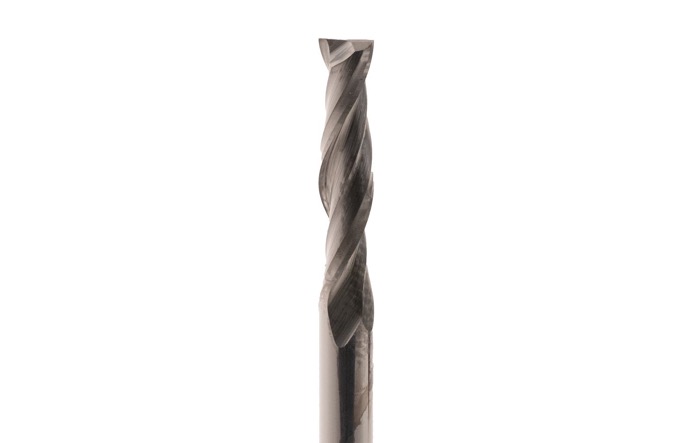
The only downside of the 1/4" cutter is that it can't fit into areas smaller than 1/4". The next step down is a 1/8" carbide cutter. For us, it's the #102 cutter. You'd only want to use a 1/8" cutter for the areas of your project where a 1/4" won't fit because it's going to cut more slowly than a larger cutter.
V-Cutters for Engraving
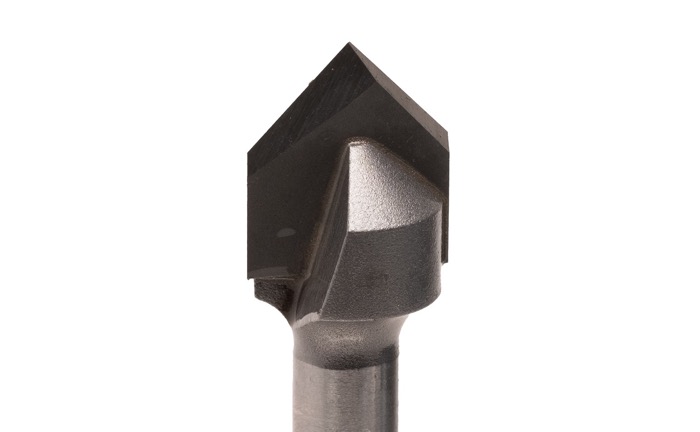
V-cutters are the final must-have on a Shapeoko-style machine. They let you create engraved sections with sharp corners and and almost 3D shape that's not possible with a straight endmill.
Creating these shapes requires a specialized tool path called V-carving, which is included in our free Carbide Create CAD/CAM software, but the results are worth it.
V-cutters are defined by their taper angle. We recommend both 60 and 90 degree cutters. The sharper 60 degree cutter is better for smaller details, while the 90 degree V-cutter is better for larger areas.
V-cutters are usually made from brazed carbide, which means that the core of the tool is made of durable, and less expensive, steel that had carbide section brazed onto it to make the cutting flutes. After brazing the carbide onto the steel, the flutes are ground in so that you get a sharp, durable and accurate tool.
Endmill details
Coatings - If you're cutting plastic or wood, coatings don't matter. Some people have been told otherwise but it's just not going to matter unless you're on a very high-end industrial machine (and probably not even then).
If you see people showing off their rainbow, gold, or blue-coated cutters, don't assume the coating does anything. It won't help in wood and plastic because the benefits provided by those coatings don't kick in until a very high temperature is reached.
Aluminum is a slightly different case. Some coatings, the gold ZrN coating in particular, can help in aluminum but that's a point of debate, with many professional machinists arguing that coating are a waste on aluminum.
Bottom line, a blue or rainbow (nACo), or gold (ZrN) coating won't hurt in wood, plastic or aluminum, but it won't help much.
Import or US - Most US-made cutters use a higher grade of carbide that is stronger and can hold a sharper edge. If you have the means, we always recommend a US-made cutter.
We carry both US and import cutters and both are made for us.
Cutter XXX is amazing!!! - We're inclined to say, probably not unless you were comparing it to a cutter that is vastly different. If you have two tools with similar specs, we would not expect to see massive differences in cutting performance. (Unless one happened to be a little dull.)
For what it's worth, we run some large industrial CNC machines to make parts for us and we don't see a lot of difference in cutting performance between any of the "good brands" unless we do something really aggressive (which smaller machines cannot do anyway).
Bottom line, buy cutters from a reputable company and you'll get good results.
Not really an endmill but…
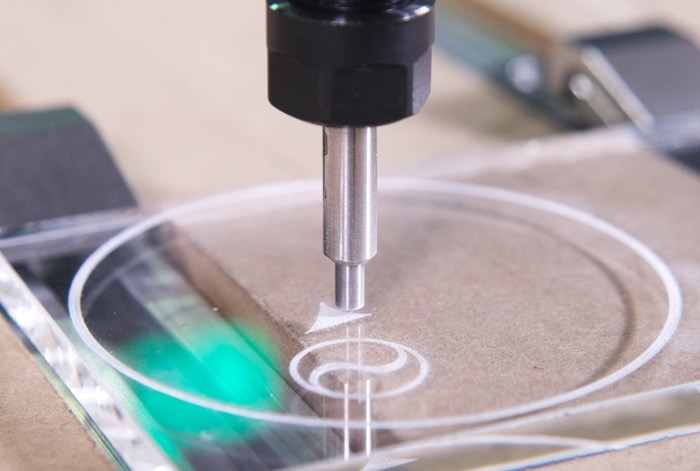
Ok, this is something we like, but it's not technically an endmill. A Diamond Drag Bit is a very sharp, diamond-tipped point that's spring-loaded. The drag bit doesn't rotate as it cuts, it's literally just dragged against the material being engraved.
A drag bit is only used for engraving, it doesn't cut anything. It's best used on metals, hard plastics, but it also works on stone and glass.
We love diamond drag bits because they're an inexpensive way to add a whole new capability to your CNC machine.
Conclusion
Cutters are a huge topic and we'll probably end up rewriting this email before too long. The important thing to remember is that, even though there are an almost infinite number of cutters available, just a handful will do almost everything you need.
Rob
Co-Founder, Carbide 3D
P.S. If you've already decided that a CNC machine is right for you, and you are ready to get started with a machine of your own, click over to the Carbide 3D store, and checkout the CNC machines we offer.


Comments
Post a Comment